How to Create Ken Burns Slider in WordPress Without Plugin (Ella Theme Method)
April 19, 2026 3 Minutes
How to Create Ken Burns Slider in WordPress Without Plugin (Ella Theme Method)

If you want to create a slider with Ken Burns pan/zoom effect without any plugin required Ella Theme is full support.

Ken Burns effect applies smooth pan and zoom animations.

👉 Get Ella Premium Theme:
https://pixelonetry.com/downloads/ella-premium-one-page-parallax-wordpress-theme/

Learn how to create a Ken Burns slider in WordPress without a plugin.


🎥 Ken Burns Slider Demo (Pan & Zoom Effect)


What is the Ken Burns Effect?

The Ken Burns effect is a visual technique where images slowly zoom and pan across the screen.


Why Use a Ken Burns Slider in WordPress?

Adding this effect helps you:

  • Create more engaging visuals
  • Improve storytelling with images
  • Make your website look more modern
  • Increase user interaction

Method 1: Add Ken Burns Slider Using Theme (Ella Theme)

If you’re using the Ella WordPress theme, you can enable this feature directly.
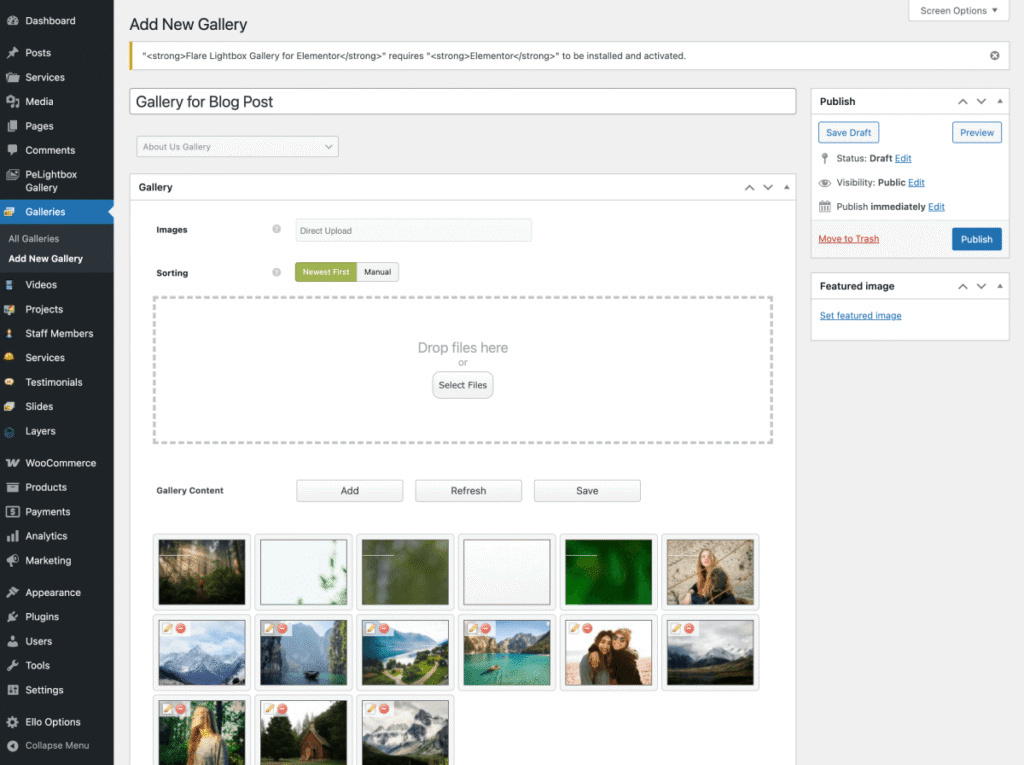
Step 1: Create Gallery

  • Go to Galleries → Add New Gallery
  • Upload multiple images
  • Click Publish
Create a Gallery


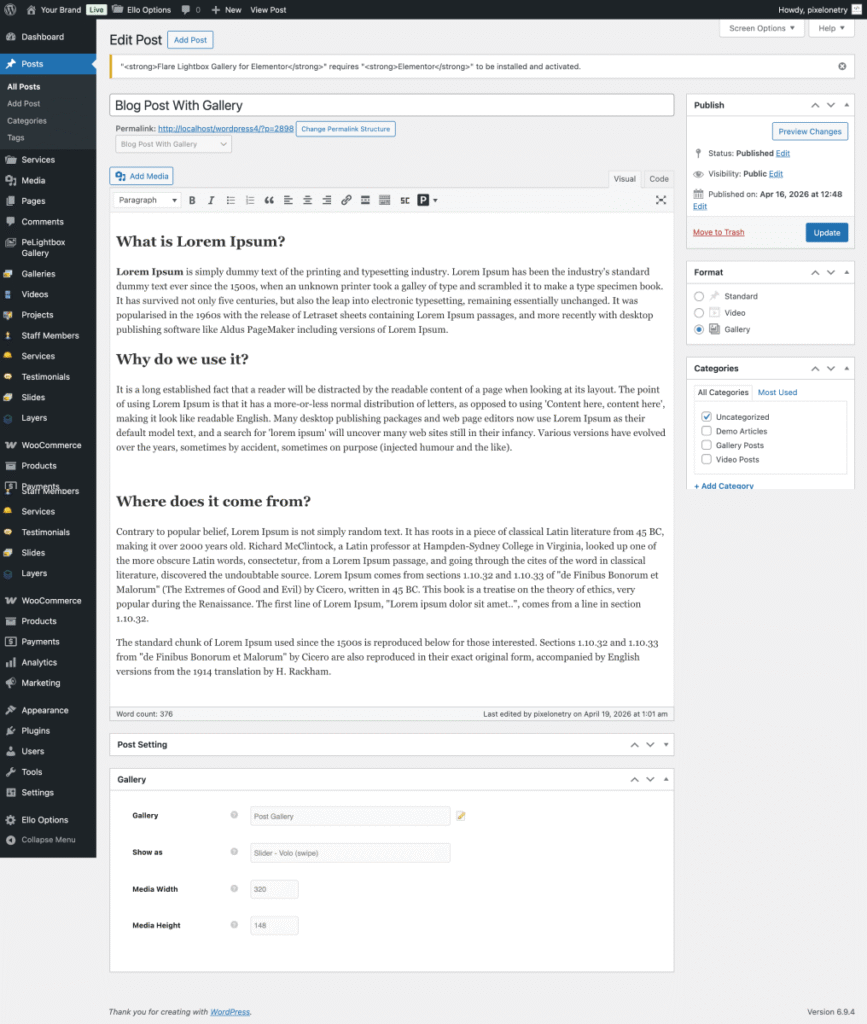
Step 2: Assign Gallery to Post

Inside post settings:

  • Open your post
  • Change post format to Gallery
  • Select your gallery
Edit Blog Post


Step 3: Publish

Click Publish, and your Ken Burns slider will be live.


Method 2: Use Plugin (Recommended)

If you want a faster and more flexible solution:

👉 Use peLightbox Gallery Slider by Pixelonetry

This plugin includes:

  • Vista Zoom Slider (Ken Burns effect)
  • Volo swipe slider engine
  • Vario CSS animations
  • Lightbox gallery support
  • Mobile-optimized performance

Best Use For

Ken Burns sliders are perfect for:

  • Photography websites
  • Creative portfolios
  • Travel blogs
  • Case studies
  • Hero sections

Performance Tips

To keep your site fast:

  • Use optimized images
  • Enable lazy loading
  • Avoid large file sizes
  • Keep animations smooth and subtle

Get Started

Search for “peLightbox Gallery Slider” in your WordPress dashboard and start creating Ken Burns-style sliders in minutes.

  April 19, 2026   WordPress Tutorials

We're are pixelonetry creative studio! we make great digital assets for professionals...

Post a Comment

2 Comments

  • My developer is trying to convince me to move to .net from PHP.
    I have always disliked the idea because of the costs. But he’s tryiong none the less.
    I’ve been using WordPress on numerous websites for about a year and am concerned about switching to another platform.

    I have heard very good things about blogengine.net. Is there a
    way I can transfer all my wordpress content into it? Any kind of help would be greatly appreciated!

    30 April - 2026 at 11:49 AM

    Santo Reply
  • Oh my goodness! Incredible article dude! Thanks, However I am
    having difficulties with your RSS. I don’t understand the reason why I
    cannot subscribe to it. Is there anybody getting similar RSS issues?
    Anyone that knows the answer will you kindly respond?
    Thanx!!

    08 May - 2026 at 01:24 AM

    Ramonita Reply

Developers from over 150+ countries are developing products with Our Themes