How to Build a Portfolio Website in WordPress
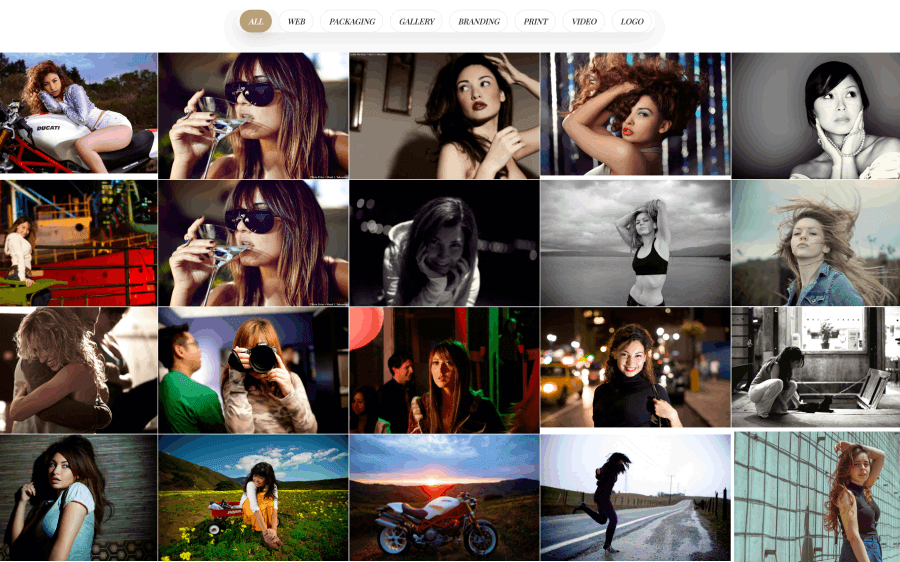
Creating a professional portfolio website best shows your work, attracts clients, and builds your personal or business brand. Whether you’re a freelancer, designer, photographer, developer, creative agency, or simply a WordPress user, it is easy to build a powerful and attractive, stunning portfolio website without advanced coding skills.
In this article, we’ll show you step by step How to Build a Portfolio Website in WordPress.
A portfolio website is a personal or business site where you showcase your work, projects, case studies, and skills. It acts as your online resume and helps potential clients understand your expertise.
Common users of portfolio websites include:
A portfolio website helps you:
Unlike social media platforms, a portfolio website gives you full control over your content and branding.
Before building your website, you need:
Choose a domain that is:
Most hosting companies offer one-click WordPress installation.
Once installed, log in to your WordPress dashboard where you’ll manage your website, pages, posts, and portfolio.
Your theme determines how your portfolio website looks and functions.
A good portfolio theme should include:
Recommended Theme: Ella – Premium One Page Parallax WordPress Theme
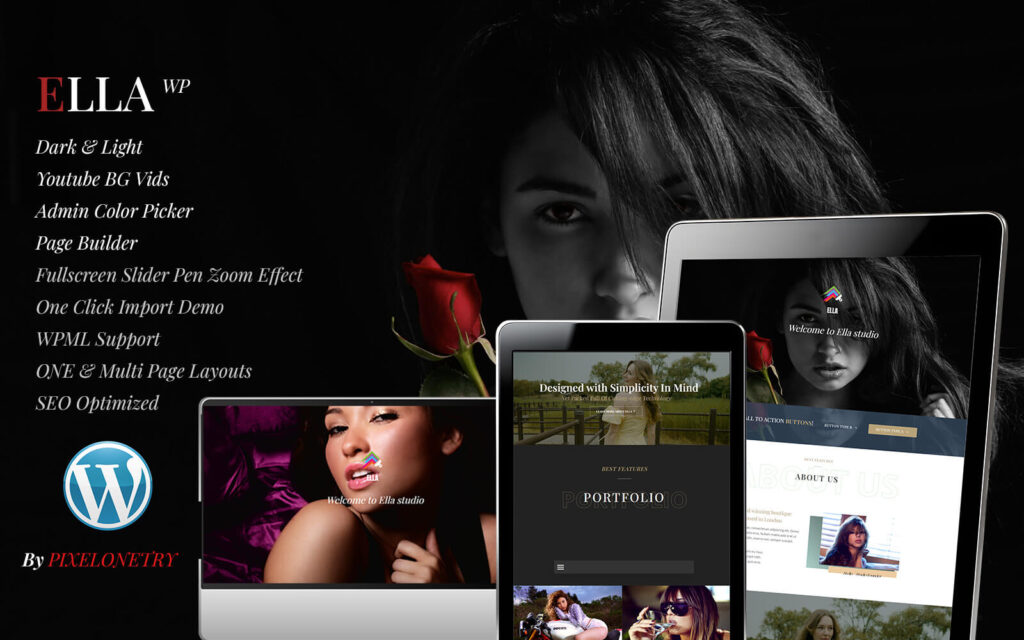
If you want a modern and professional portfolio website, Ella is a great option.
👉 https://pixelonetry.com/downloads/ella-premium-creative-one-page-portfolio-wordpress-theme/
With Ella, you can build a visually impressive portfolio website without coding.
One of the biggest advantages of the Ella theme is how easy it is to set up, even for beginners.
After installing the theme, you can import the full demo content with just a few clicks. This includes:
This means you don’t need to design anything from scratch. You simply replace the demo content with your own text, images, and projects.
🎥 Video Tutorial Included
To make the process even easier, Ella also comes with a step-by-step video tutorial that shows you exactly how to:
This video guide is especially helpful for beginners who are building their first portfolio website. You can simply follow along and complete your setup in a short time without confusion.
With both demo import and video guidance, you can have a fully working portfolio website ready in minutes instead of hours.
Your portfolio is the most important part of your website.
Make sure each project includes:
Organize your projects into categories for better navigation.
Now it’s time to personalize your portfolio.
Update:
Thanks to the drag-and-drop page builder, you can customize every section without writing code.
Your portfolio is the heart of your website.
For every project, include:
High-quality images and detailed project descriptions help visitors understand your skills and experience.
Besides your portfolio, create the following pages:
Tell visitors:
Include:
Making it easy to contact you can increase inquiries and new client opportunities.
Search engine optimization helps people discover your portfolio on Google.
Some basic SEO tips include:
SEO is an ongoing process, but these fundamentals can significantly improve your visibility.
Website speed is important for both visitors and search engines.
To improve performance:
A fast website provides a better user experience and can contribute to improved search rankings.
Ella combines elegant design with powerful features that make portfolio website creation simple.
Whether you’re building a personal portfolio, agency website, photography portfolio, or creative business site, Ella provides everything you need to get started quickly.

We're are pixelonetry creative studio! we make great digital assets for professionals...